Key Features and Pages
This topic turns the guide's reference material into a cleaner web reference for suggested locations, document attributes, contacts, and attachment handling.
Suggested locations logic
PIM for Outlook suggests publish locations using the same logic as the previous Outlook add-in.
- Email subject line: if the subject contains a PIM entity code, matching locations are suggested.
- Email chain history: if earlier messages in the thread were published to PIM, those locations are suggested again.
Confidence ratings and contradictions
Each suggestion includes a confidence rating. If multiple likely matches are detected, the user can see a contradiction warning and choose whether the message should be published to one or more locations.
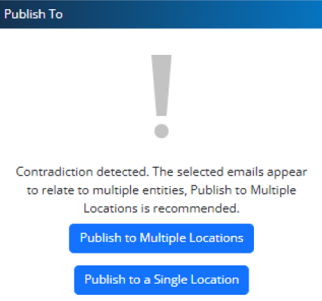
Contradiction guidance appears when the add-in detects more than one likely project or entity context.
Core reference pages
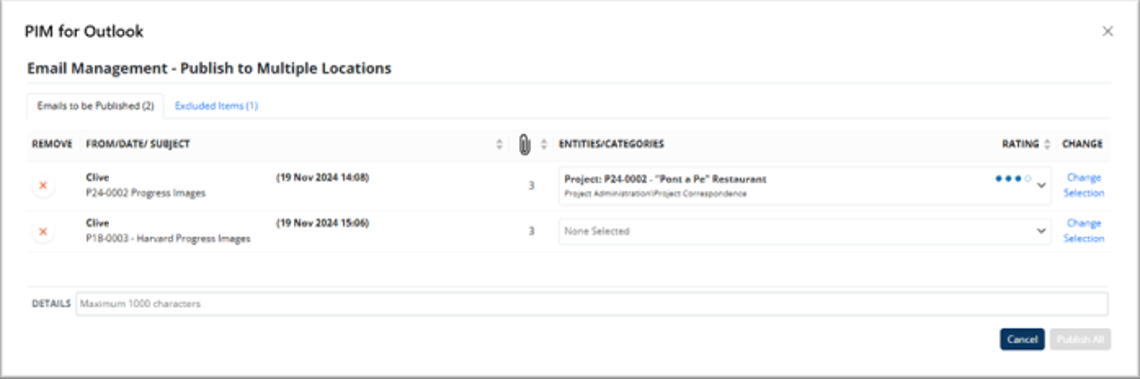
Publish to Multiple Locations: assign or change the destination for each selected email row.
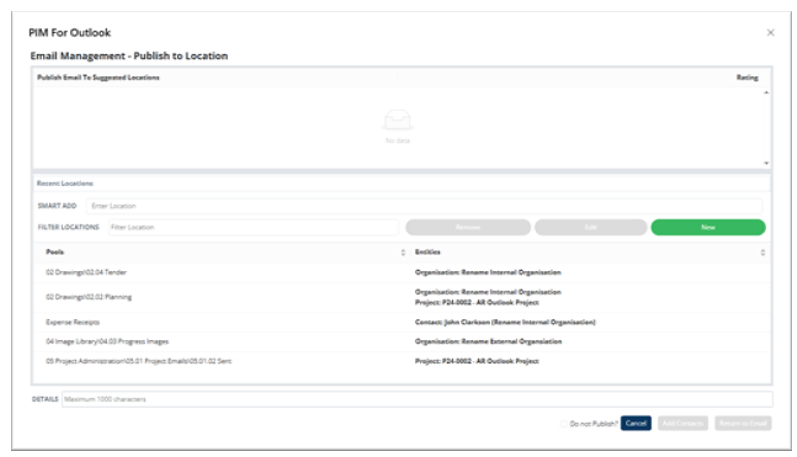
Location Picker: combine suggested, recent, and manually searched locations in one step.
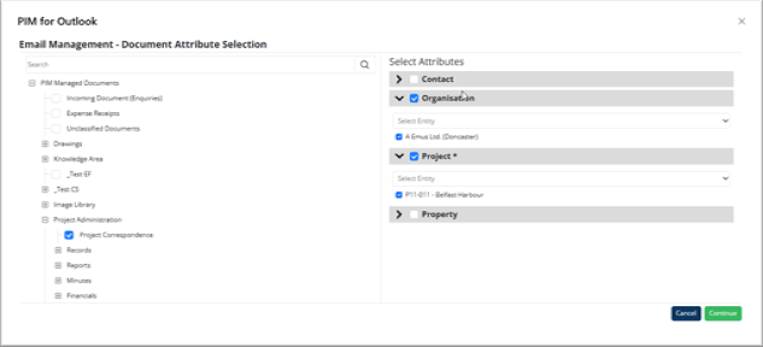
Document Attribute Selection: complete required and optional metadata before continuing.
Contacts and attachments
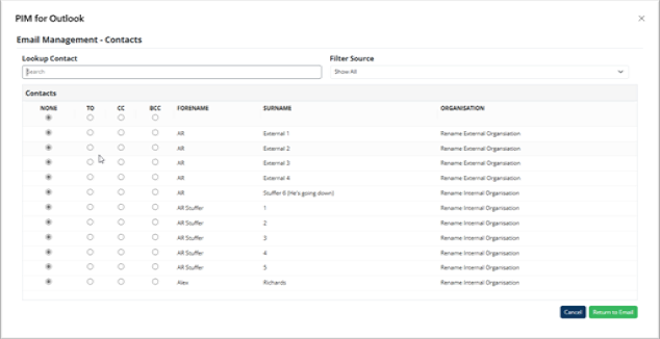
Add contacts from PIM
Users can select PIM contacts linked to the publish entity and assign them as TO, CC, or BCC recipients.
Advanced attachment publishing
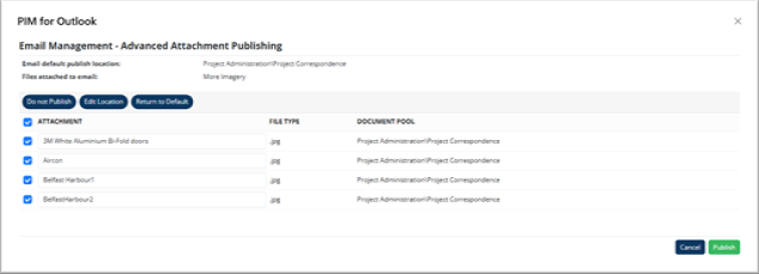
Attachments can be excluded, sent to a different location, or reset to the email's default location when the workflow requires more control.
Attachment options
- Do Not Publish prevents the selected attachment from being published.
- Edit Location opens the document pool picker to choose a custom target.
- Return to Default restores the attachment to the email's default publish location.
Attaching files from PIM is useful when recipients may not have direct access to the system. Attaching links keeps a lighter email and can provide a clearer access trail when recipients already use PIM.
Publish reminders and opt-out behavior
If no publish location is selected when a user clicks Send, the add-in can prompt them to publish first. Users can also toggle off Publish to PIM entirely when the message should stay out of the DMS.
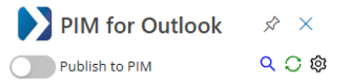
When publishing is toggled off, the email is sent without creating a PIM record and the publish reminder is suppressed.