Product Enhancements
Thank you for your continued partnership with Deltek ComputerEase. We are excited to be your construction software partner for years to come. Renewing your enhancements and maintenance package ensures you benefit from:
- A direct line to the product management team via the Idea Portal, where you can submit your ideas and vote on other ideas to make ComputerEase an even better product.
- Access to the new Deltek Learning Hub.
- Enhancements to the software that have been built to help you further streamline processes, improve visibility, and grow your business.
- The latest critical updates that affect your business, including updated tax tables and compliance with the most recent government regulation changes to avoid costly fines.
- Unlimited Deltek ComputerEase software support.
- Access to a dozen live Advanced Training educational classes and live Q&A sessions multiple times a week with Deltek ComputerEase expert consultants.
- Meet the experts by going to this web page.
- Access to detailed training videos and manuals.
- Deeper partnerships and integrations with the products you use to drive your business forward.
Read on for a thorough walkthrough of how your Enhancements and Maintenance Package works for you!
ComputerEase 25.3
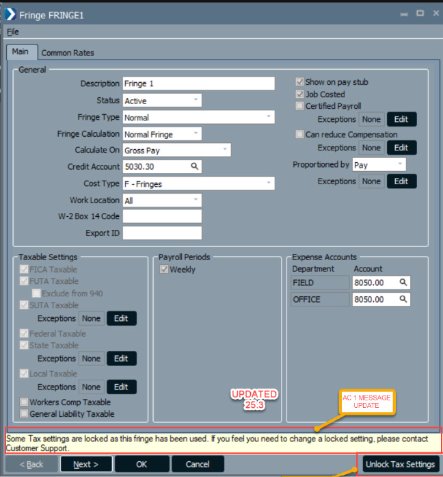
Unlock Deduction/Fringe Tax Settings with Code.
Request a code to unlock deduction and fringe tax settings for adjustments. This option enables accurate corrections when needed.
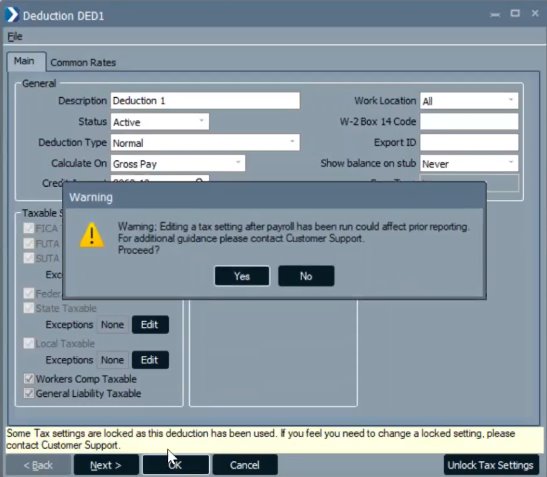
Allow WC/GL Tax Setting Edits
Users can now edit tax settings for Workers' Compensation codes. This added flexibility helps correct errors quickly.
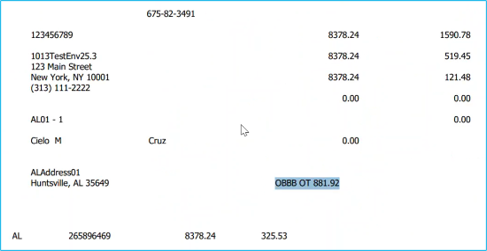
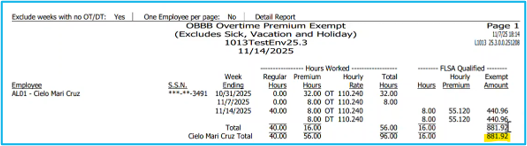
One Big Beautiful Bill (OBBB) Exempt Overtime
Generate reports detailing the FLSA qualified premium portion of OT/DT for tax reporting. Adds value to W-2 compliance and transparency.
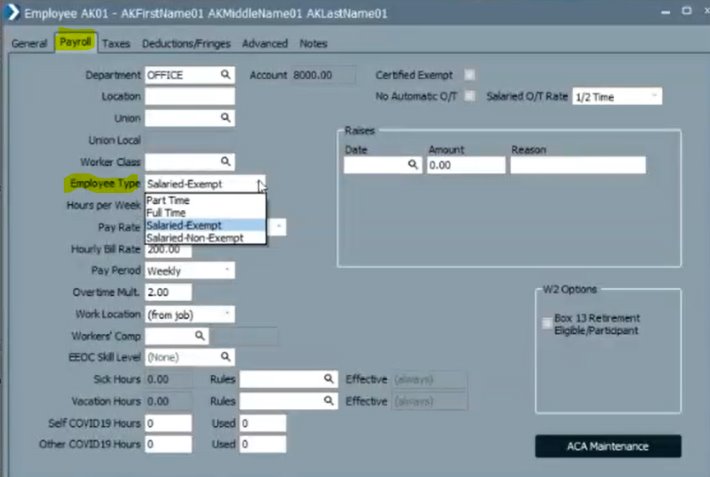
Salaried-Non-Exempt
Salaried-Non-Exempt settings now require dates for time entries. This change aligns with compliance standards.
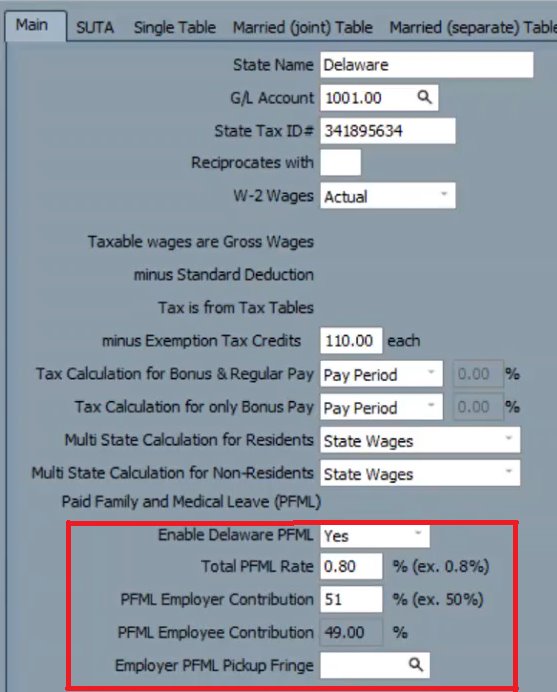
Employer Pick-up of Paid Leave Taxable
Tax employer pickup of mandated employee paid leave contributions. Ensures proper handling for compliance purposes.
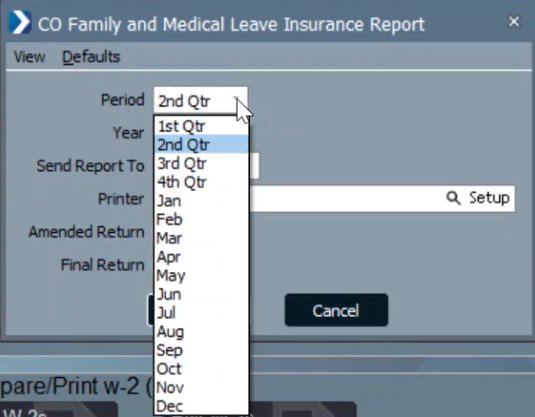
Colorado Family Leave Monthly Option
Colorado employers can now generate monthly or quarterly reports for family leave. This update provides greater flexibility in meeting state reporting requirements.
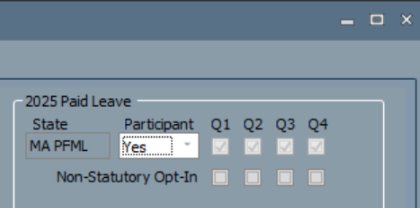
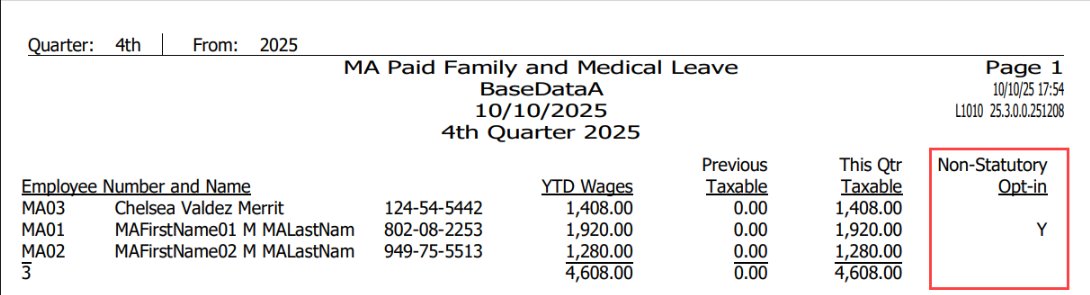
Massachusetts PFML Statutory Opt-In
Track non-statutory opt-ins for Massachusetts Paid Family and Medical Leave. This enhancement ensures compliance with state regulations.
Minnesota Paid Leave
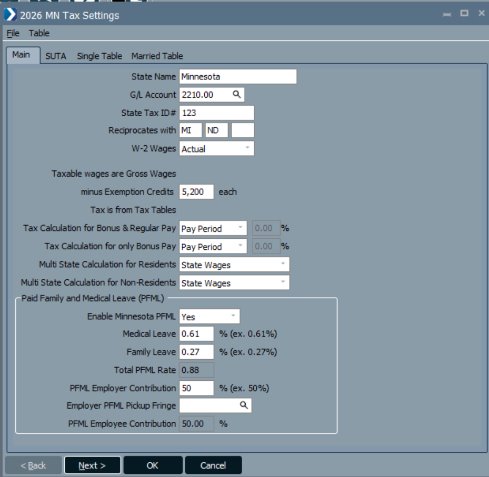
New settings and reports accommodate Minnesota's paid leave program effective January 1, 2026. Stay compliant with upcoming state requirements.
Ohio RITA Codes
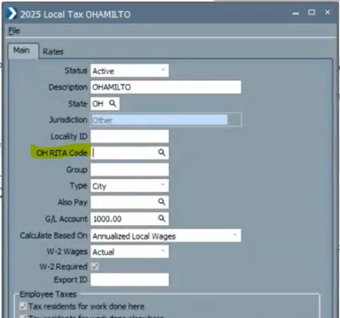
Assign RITA codes to Ohio localities for accurate tax reporting. This feature supports compliance with regional tax obligations.
ComputerEase Field 5.0
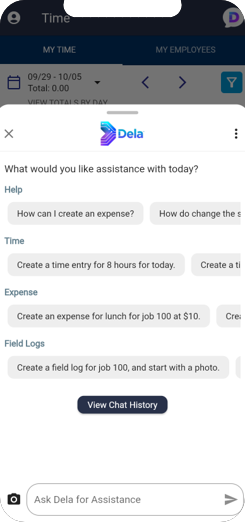
Meet Dela: Talk to ComputerEase Field
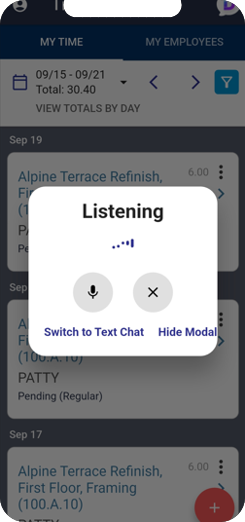
Powered by Deltek and OpenAI, Dela makes work effortless. Use voice or text to create time and expense entries, check field logs, and get answers fast.
- Hands-Free Efficiency: Voice chat by default.
- Flexible Interaction: Switch to text anytime.
- Quick Setup: Enable in Settings, choose a voice, and click the Dela icon.
Employee Absences
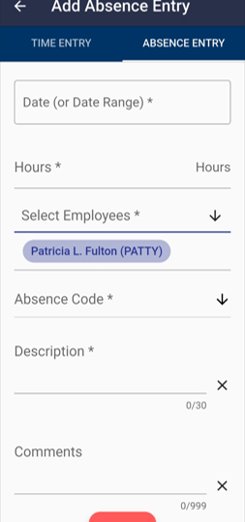
Easily track unpaid time in the field, easily accessible from the same place users enter working time. Add, edit, and view records directly in ComputerEase Field.
- Quick Access: New Absence Entry tab in Time Entry.
- Simple Management: Enter dates, hours, codes, and comments.
- Clear Visibility: View totals and processed entries.
Automatic Time Entries
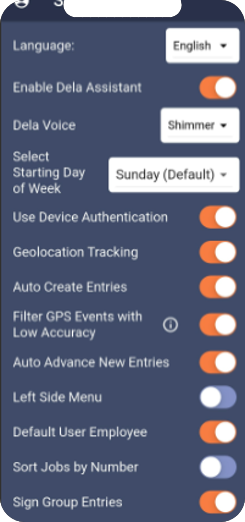
Automatically create time entries based on geolocation activity.
- Automatic Logging: Job time and travel mileage captured.
- Quick Setup: Enable in Settings (requires Geolocation Tracking).
ComputerEase 25.2
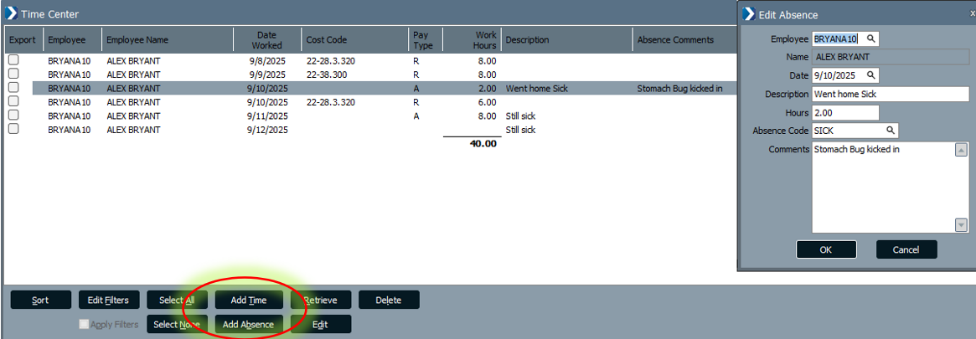
Time Center Employee Absences
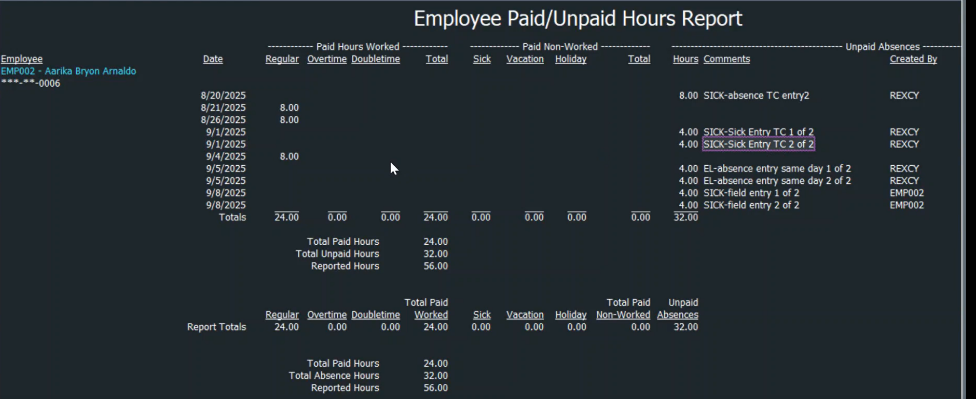
Added the ability to accept, edit, and create Employee Absences in the Time Center. Now, paid time and recorded absences can be viewed in a single place to present an employees entire work week on a single screen. This helps ensure complete weekly time reporting and reduces follow-up on missing hours.
Enhanced Absence Reporting
Reporting now combines entries from various states to report on an employee's weekly big picture. Entries pending in Time Center and Labor Distribution entries, as well entries from posted payrolls, can be reported for a complete view by date. Added Created By and Source fields to absence entries for better tracking.
Time Center Department Validations
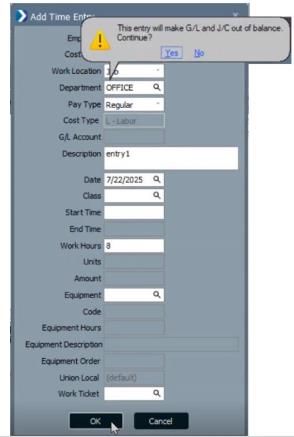
ComputerEase now provides warnings and errors for potential payroll department mismatches, preventing cost type errors and ensuring General Ledger and Job Cost remain in balance.
Accounts Payable Invoice Edit Periods
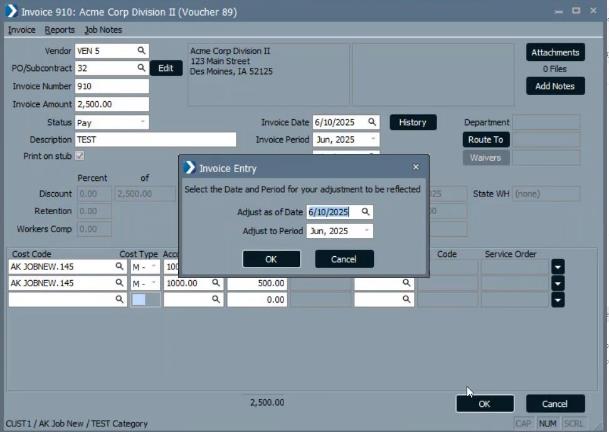
You can now specify a GL Period and As-Of Date when editing AP invoices. This enables adjustment amounts to post to the correct period without affecting closed period balances.
Accounts Payable Invoice History Inquiries
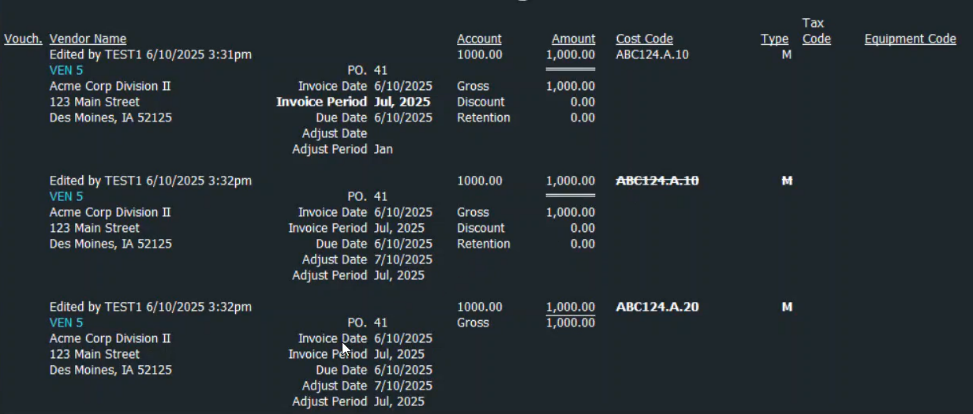
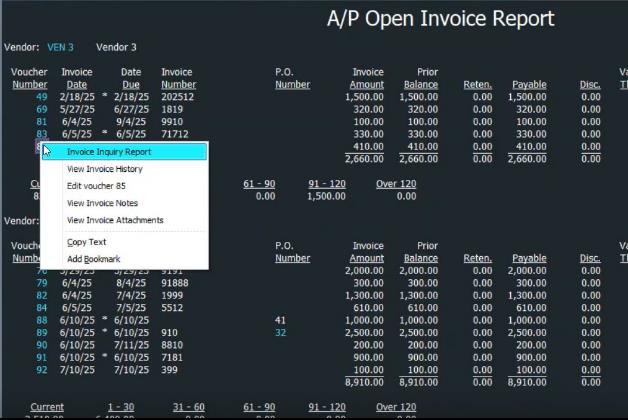
You can now view who edited an AP invoice, when they changed it, and what they changed. Calling the Invoice History can be performed through Edit an Invoice and from various reports throughout ComputerEase. This provides clear visibility into user actions for better accountability.
Enhanced Work on AIA Change Order Reports
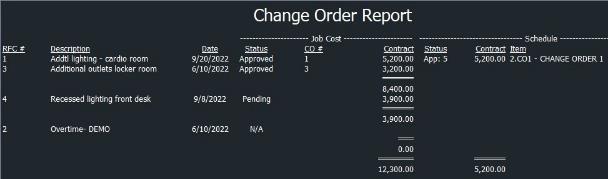
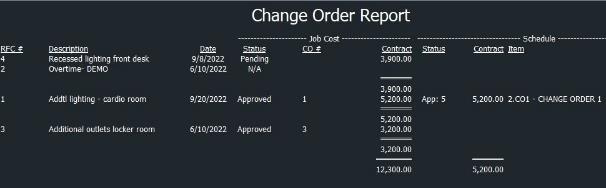
Added Assigned Change Order Numbers, sorting options, and the ability to include zero-value Change Orders in the AIA Change Order Report. This provides complete information without drilling into additional screens.

Trash Cans for Deletions
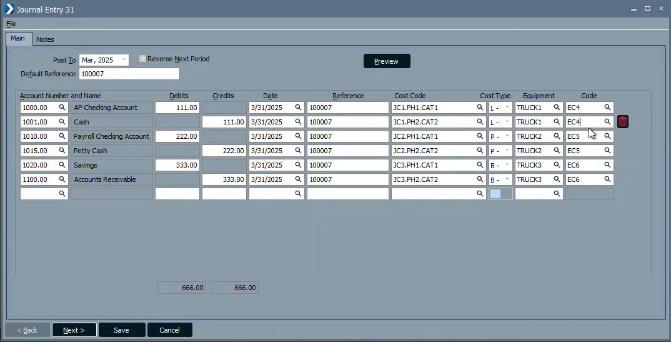
A Trash Can icon has been added to entry dialog boxes across ComputerEase, making the delete function more visible and easier to use.
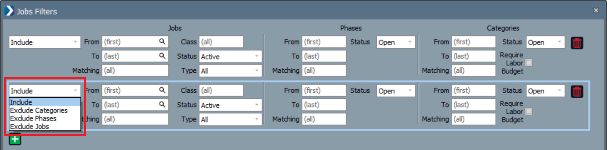
Additional Jobs Filters Exclusions
The Exclude options for Jobs Filters have been expanded to the following:
- Exclude Jobs
- Exclude Phases
- Exclude Categories
Note that at least one Include filter must be created before Exclude filters can be used.
ComputerEase Field 4.0
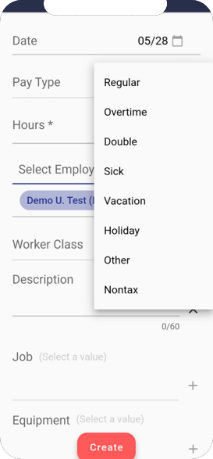
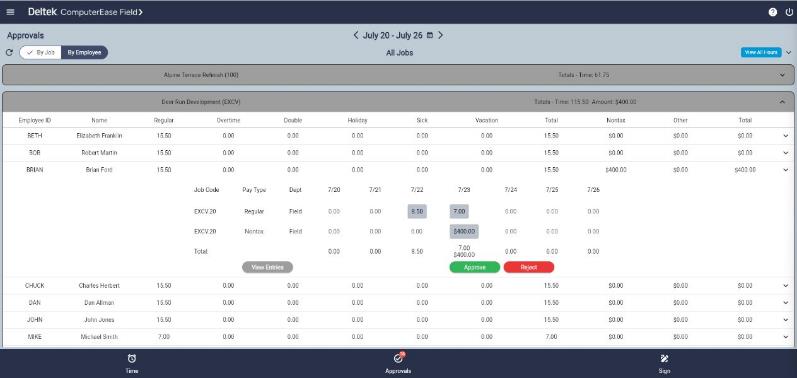
Support for Nontax and Other Entries
Entries with Nontax or Other pay types can now be created in ComputerEase Field. If selected, the Amount field is displayed to allow entry for these amounts. This allows you to expand user scenarios that can be utilized in ComputerEase Field.
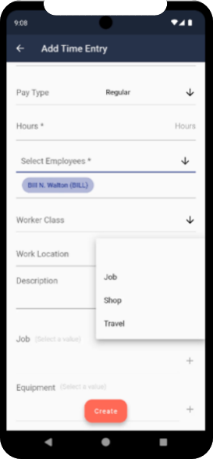
Support for Work Location
You can now select Job, Shop, or Travel in a time entry. This allows you to override the work location on the entries as needed. If left blank, the work location will default to the cost code setting or job if it is not set in the cost code.
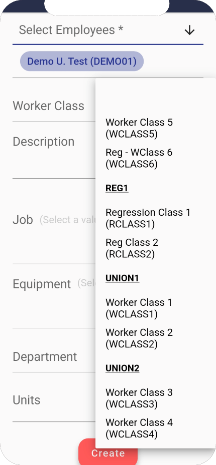
Enhanced Time User Experience
The following changes have been made to enhance the user experience for Time users:
- Default to the selected period when signing time.
- Added sticky filter and sort.
- Added worker class grouping and filtering.
Enhanced Approver User Experience
The following changes have been made to enhance the experience for approval users:
- Added more information shown on the time entries.
- Included Pending and Signed time in View All Hours view.
- Added View All Hours button to the Approval by Job view.
- Added option to see employee names in approval on mobile device screens.
- Updated color scheme on mobile device screens to match color scheme of large device screens.
- Added sticky filter and sort in My Employees tab.
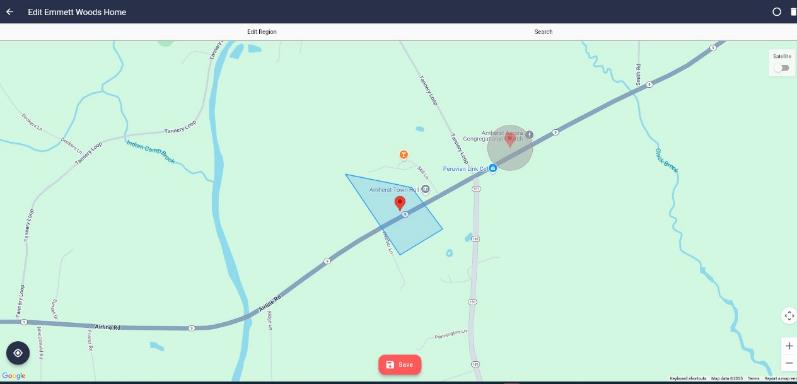
Draw Job Boundary
You can now specify the job boundary on the satellite map by using points to draw the perimeter. The maximum radius for a job's location has been increased. This allows jobs that are large or don't fit within a circle to have their boundaries set accurately.
ComputerEase 25.1
Updated Logos with New Deltek Font
Logos have been replaced with Figtree font to align with Deltek's corporate branding.
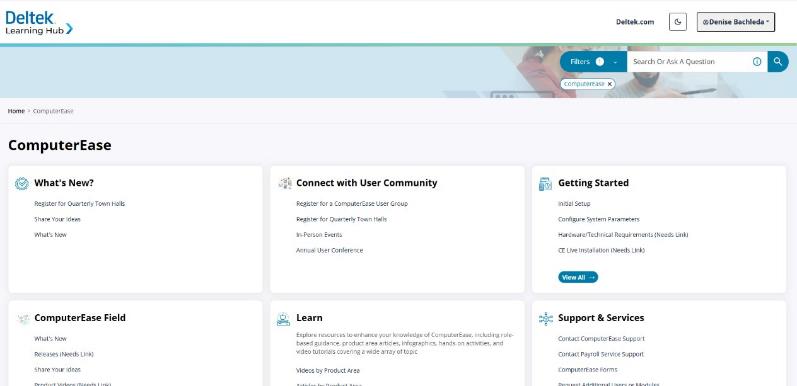
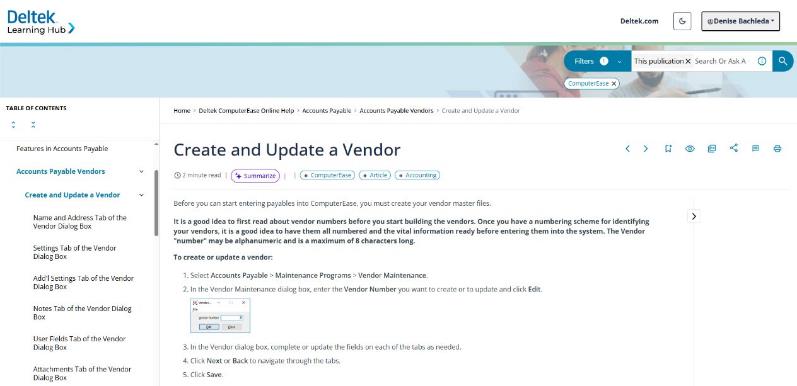
Deltek Learning Hub
The Deltek Learning Hub has been launched as your new resource center. It is a comprehensive knowledge center that includes online help, release notes, knowledge base articles, learning aids and resources, community forums, and more. This single and all-inclusive website replaces the Customer Corner and ComputerEase Resource Center.
Updated In-app Documentation
The ComputerEase online help has been updated. Pressing F1 redirects you to the corresponding topic on the Deltek Learning Hub.
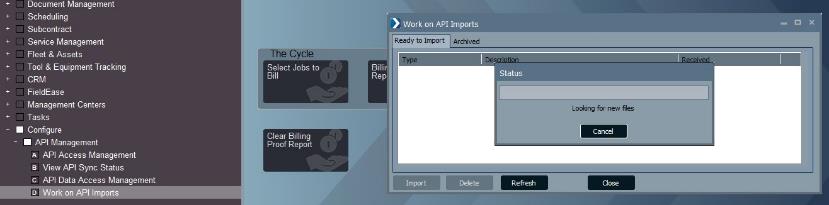
Expand API Import Service
Additional file import types have been added. These are Accounts Payable Invoices, Job and Budgets, Job Transactions, Purchase Orders, and Vendors. This simplifies importing for third-party product integrations.
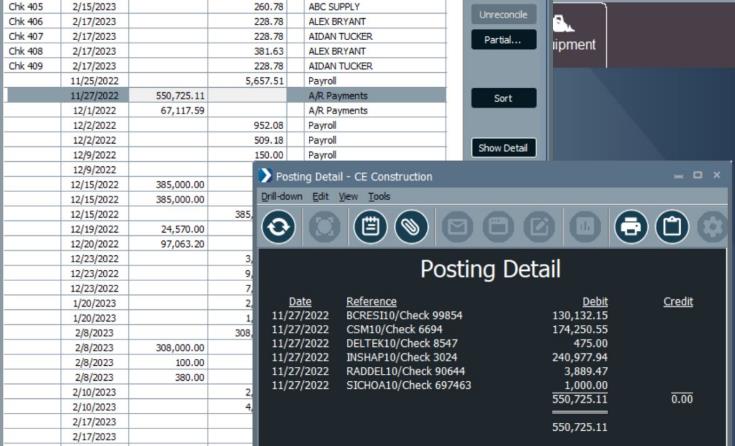
Bank Reconciliation Transaction Details
You can now view supporting details of transactions within the Bank Reconciliation screen. You no longer have to leave the screen to view the transaction details.
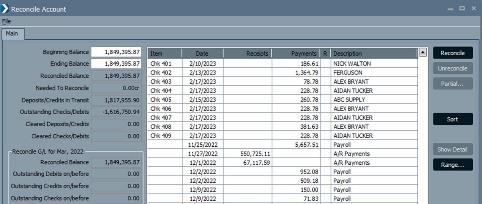
Bank Reconciliation Transaction Columns
Transactions are now split into columns by Debits or Credits. The column headings will display depending on whether the account being reconciled is an Asset or a Liability. This simplifies viewing and identification of transactions.
Bank Reconciliation Report Default File Name
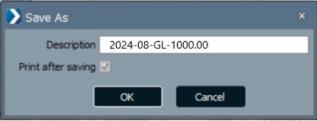
When saving a Bank Reconciliation Report, a default file name is provided indicating the reconciliation period and the reconciled GL account. This provides a way for consistent file naming and for an easier way of identifying file content.
Bank Reconciliation Sorting Options
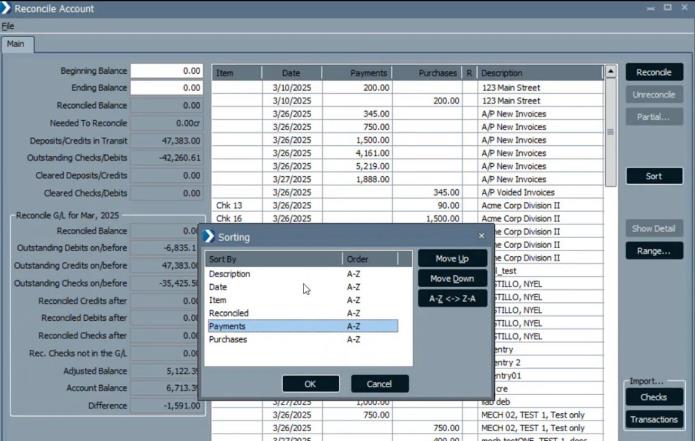
Multilevel sorting of transactions has been added to let you customize the view more.
Bank Reconciliation Expense Details
Additional information is now displayed for expense transactions in Bank Reconciliations and General Ledger to easily identify the source of each entry.

General Ledger Period in Posting Detail
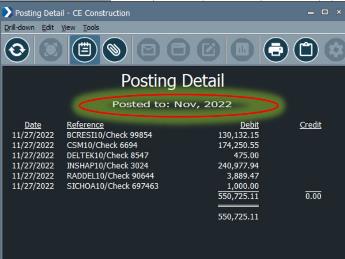
The General Ledger Period is now displayed in the Posting Detail reports. When drilling into detail within a period, the applicable period will be displayed on all levels.
Fiscal Year End Display Options
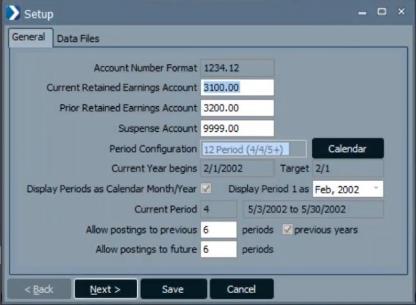
Fiscal year users with Period Configurations of 12 Period (4/4/5+), 12 Period (5/4/4+), 12 Period (4/4+/5), or 12 Period (4/4/5+Sat) now have the option to display periods as calendar month/period.
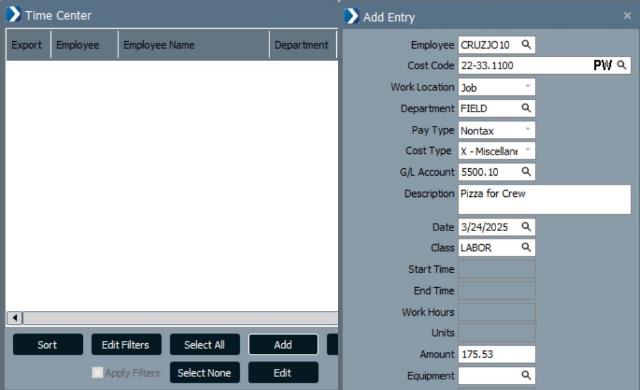
Support for Nontaxable and Other Pay Types in Time Center
You can now accept, add and edit nontaxable and other pay type entries in the Time Center.
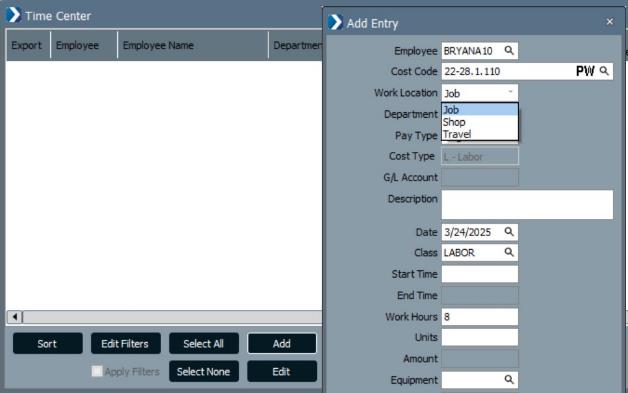
Support for Work Locations in Time Center
You can now add, accept, or edit work locations submitted from ComputerEase Field or third parties.
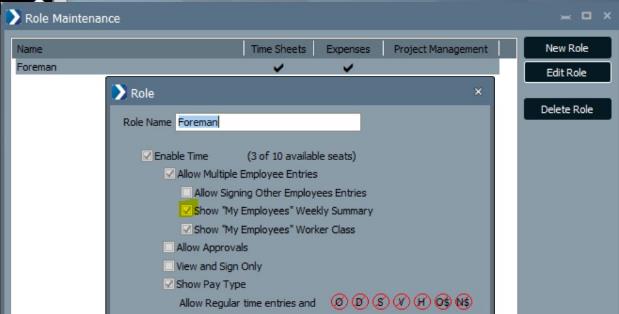
Support for Hiding Employees' Time on Others' Jobs
A new option has been added in Role Maintenance to control Field users ability to show or hide time entered for others' jobs.
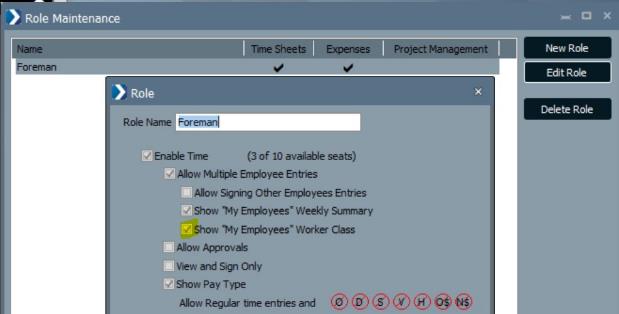
Support for Hiding Employees' Workers Class
A new option has been added in Role Maintenance to control Field users ability to show or hide their employees' workers class.
ComputerEase 24.3
Public API Service Now Available
The ComputerEase Public API REST Service is now available for you to seamlessly share data between third-party systems and ComputerEase. It gives you the benefit of increased efficiency and enhanced user experience by improving productivity, accelerating development, providing additional security, and allowing access to third-party tools.
For more information, you can access the Deltek ComputerEase REST Service Guide at https://computereaseapi.deltek.com/.
Document Management
Field logs generated by ComputerEase Field can now be deleted if they were submitted by error or if you need to create a new field log for the user, type, job, and day. You can delete the entire field log, including any of its attachments, or delete selected line items within the field log.
Delaware Paid Family and Medical Leave
ComputerEase has been updated to accommodate the Delaware Paid Leave program (PFML) which begins on January 1, 2025.
Oregon Workers' Benefit Fund
ComputerEase has been updated to accommodate the Oregon Workers' Benefit Fund (WBF).
Exempt Calculating Workers' Compensation
Non worked Pay types can now be excluded from calculating workers' compensation.
- Sick
- Vacation
- Holiday
Lock Editing of Deduction and Fringe Taxable Settings After Use
If a Deduction or Fringe Code has been used for a given state in a posted payroll, the Taxable Settings of the Deduction or Fringe Maintenance are locked and disabled from editing. This prevents the changing of tax settings resulting in differences in previously filed tax reports.
ComputerEase Field 3.0
Field Logs
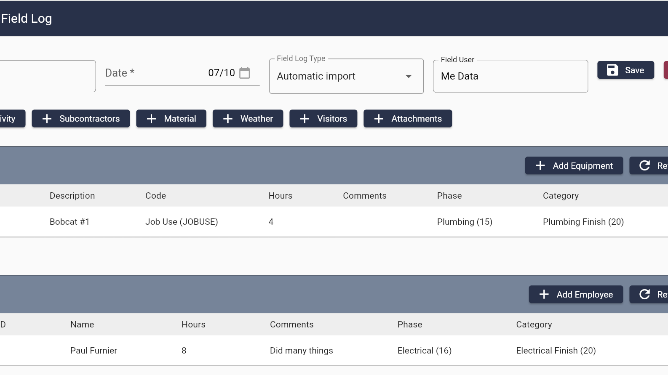
Field Logs have been enhanced to enable you to record job-related activities on a daily or weekly basis. You can now customize fields and form layouts to capture crucial data and images. You can customize field log types to capture any data you want to collect from the field, including information such as Daily Logs, Meetings, Production, and Attachments.
ComputerEase 24.2
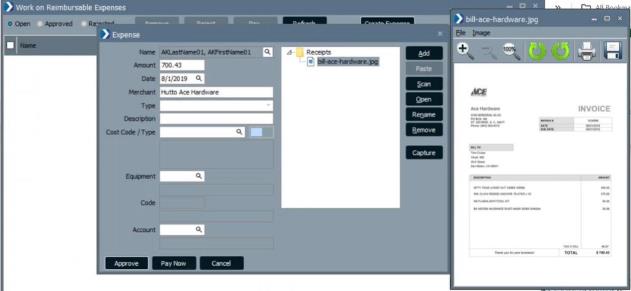
Intelligent Character Recognition (ICR) for Desktop Expenses
ComputerEase automatically scans uploaded receipts for relevant data and pre-fills the entry fields. This reduces manual entry and the potential for errors saving Accounts Payable users time.
Enhanced Field Logs
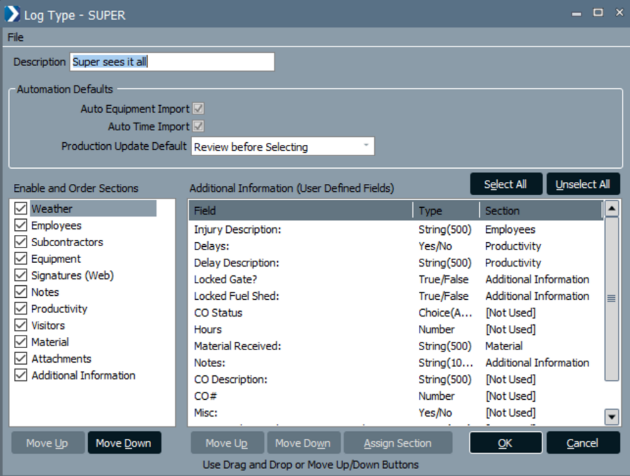
Field Logs were enhanced to provide a more customized user experience and expand on current capabilities:
- You can now create custom forms for field personnel by defining the order that sections will appear and assigning User Defined Fields to given sections.
- The Field Log Creator and source of creation are now stored allowing multiple Field Logs to be created for the same Field Log Type, Job, and Day.
- Lengths of various entry fields were expanded as well as their display and printing.
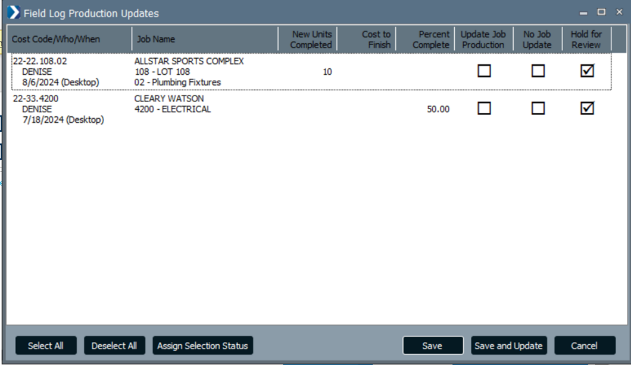
Field Log Productivity Updates
Field Log users can now update details related to Job Cost, such as Units, % Complete, and Cost to Finish, directly from the Field Log Entries. This enhancement eliminates duplicate entries.
Job Center Document Management
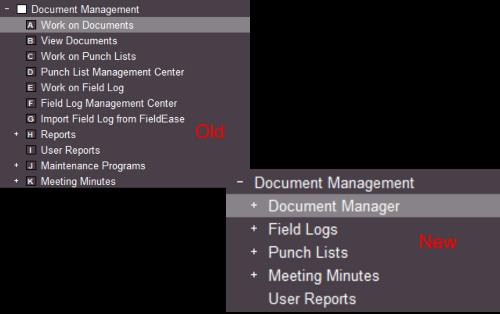
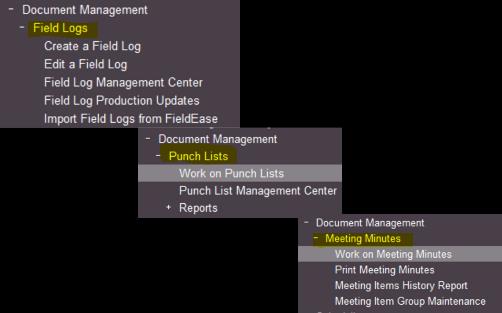
The Document Management Menu is now grouped by function for easier navigation. Through the Job Center, you can access the Document Manager, Field Logs, Punch Lists, and Meeting Minutes. Functional, Maintenance, and Report Menu items are now in their associated area.
Job Center Field Logs
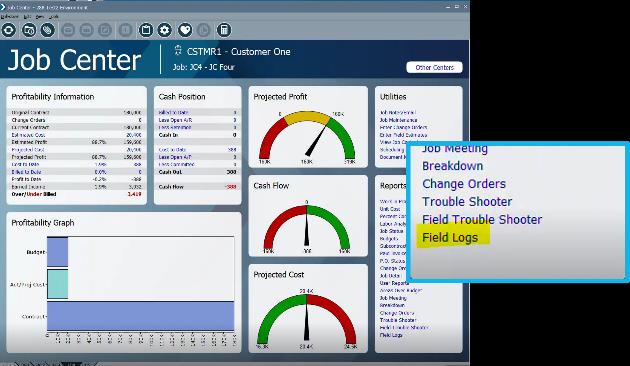
To enhance efficiency and accessibility, you can now view the Field Log Report directly from the Job Center.
Field Log Reports
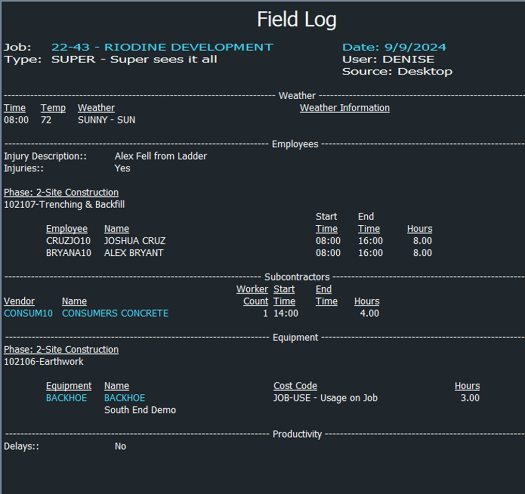
Field Log Reports have been enhanced to more easily consume the information presented:
- Pronounced Section Headers
- Sections now print in the order defined through Field Type Maintenance.
- User Defined Fields will now print in their assigned sections in your desired order.
- Individual entries are sorted by newly added Phase and Category headings grouping entries together by the task performed.
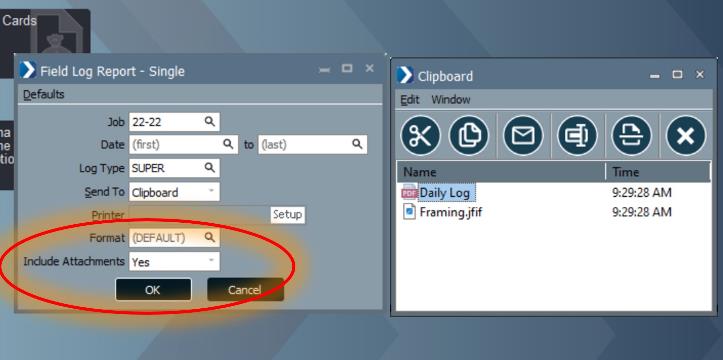
Include Attachments
Both Single and Multiple Field Log Reports now have an Include Attachments option. This allows you to quickly include the Field Log Report and all its attachments in the clipboard or email.
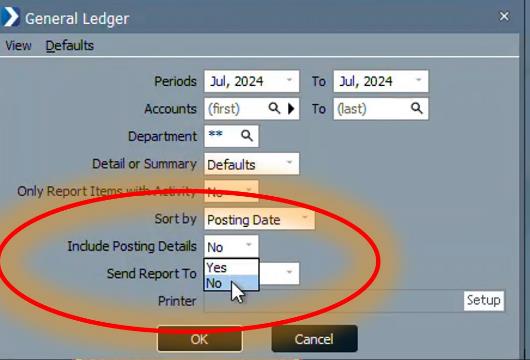
General Ledger Posting Report
In the General Ledger window, an Include Posting Details option has been added that allows you to view who generated a General Ledger Posting Report and the date of posting. This enhancement applies to Journal Entries, and individual module "Post to General Ledger" functions.
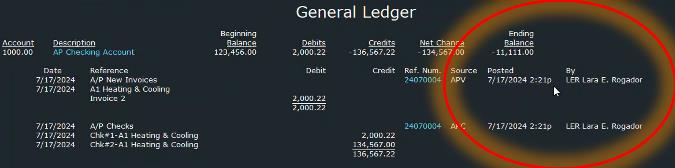
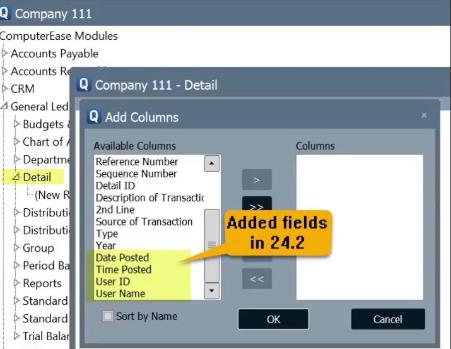
General Ledger Posting Details QTool
In the QTool, the following fields have been added under General Ledger Posting Details:
- Date Posted
- Time Posted
- User ID
- User Name
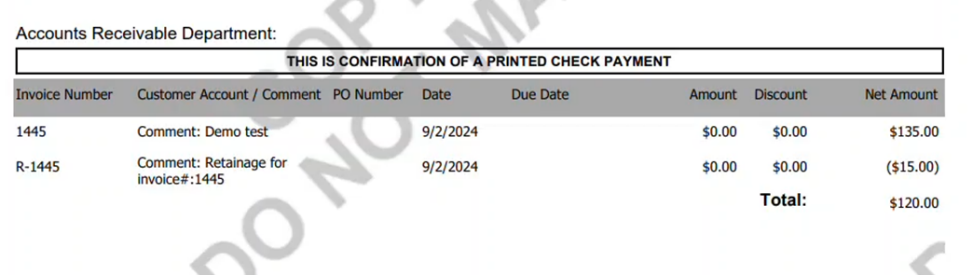
NvoicePay Retainage Data
NvoicePay users can now send Retainage Values to NvoicePay. With this enhancement, relevant additional information will appear on the Payment Portal and displays on check stubs.
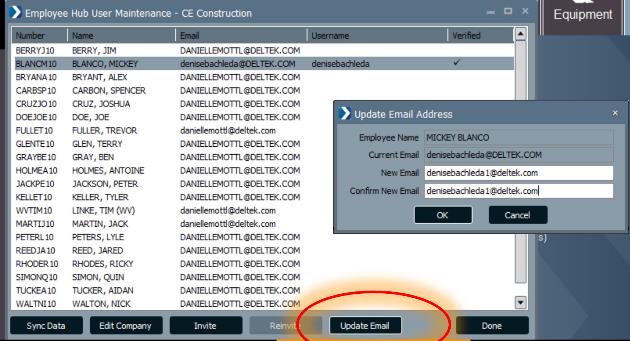
Update Email Option
Employee Hub user email updates are now Self Service.
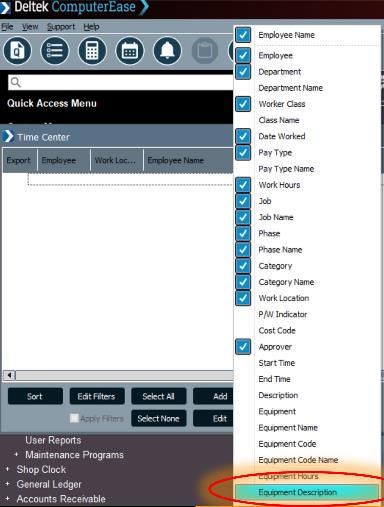
Time Center Equipment Description
A new Equipment Description field has been added to the Time Center.
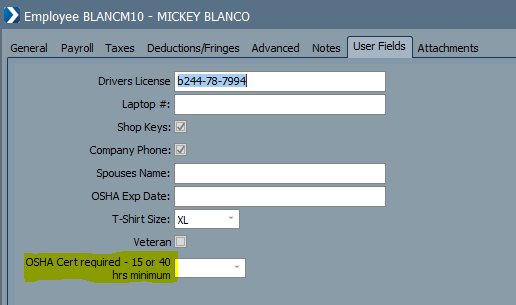
Extended User Defined Fields
User Defined Field labels have been increased to accommodate up to 50 characters. This enhancement applies to all modules and user defined fields.
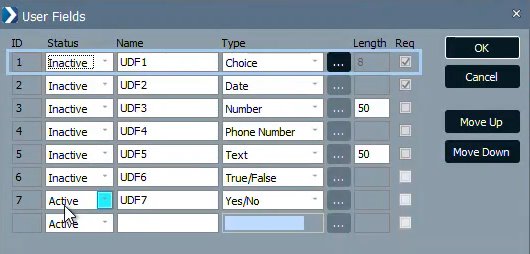
User Defined Fields Inactive Status
You can now set the status of User Defined Fields (UDF) as Inactive. When a UDF is marked as inactive, it is removed from entry screen displays. However, the data remains accessible in the QTool and can still be selected in Templates for existing reports.
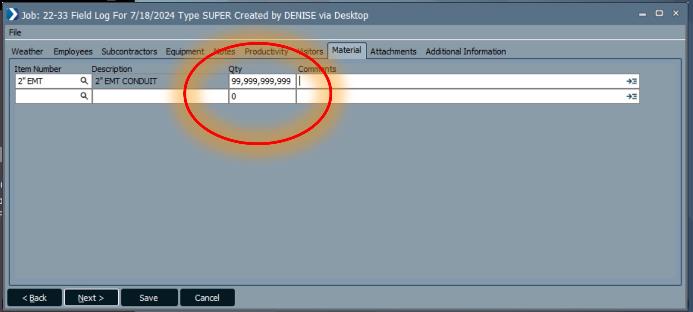
Increased Display Material Quantity
The Qty field for Material has been expanded to enable you to enter larger values.
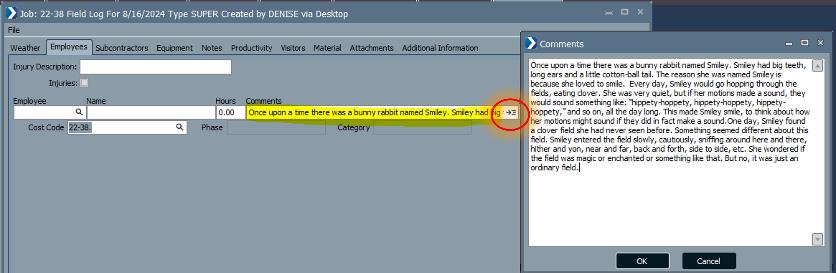
Enhanced Comments Display
The Comments field now accommodates up to 999 characters, allowing you to enter more detailed comments. The hover function allows you to quickly and easily view more data.
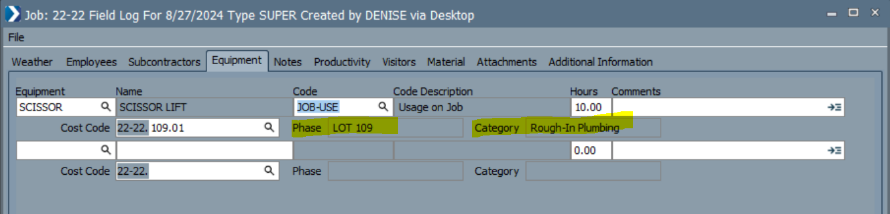
Field Logs Equipment Codes
The Equipment tab of the Field Logs now includes the Equipment Code. The option to automatically update Equipment from Field Time entries was also added alleviating duplicate entry.
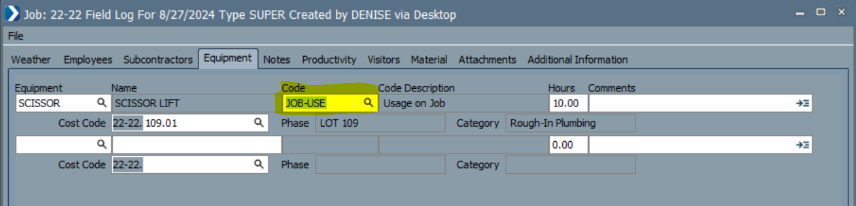
Phase and Category Information
You can now view the Phase and Category information on the Equipment tab of the Field Logs. This information now flows from Fields' Field Log application.
ComputerEase Field 2.0
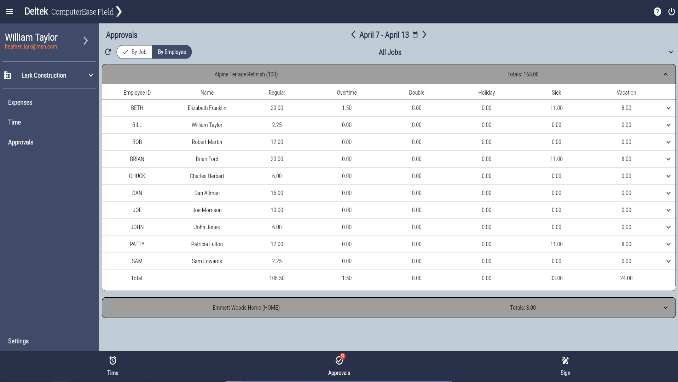
Browser User Interface
ComputerEase Field is now accessible using a browser on any device. This enables users to operate ComputerEase Field on their laptops without having to switch devices.
Enhanced Geolocation Tracking
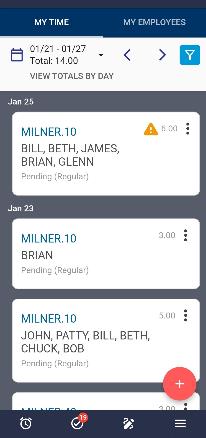
To streamline project management and optimize resource allocation, you can now capture the actual time spent on jobs with time entries, regardless of how the entry was created. This enhancement ensures that all users have job location tracking attached to each entry for the jobs they worked on.
Additional Resources
If you have questions about your Enhancements and Maintenance Package, email us at ComputerEaseAdmin@deltek.com.
To learn more about current or future releases, refer to the Deltek Learning Hub.